FDIC-Insured - Backed by the full faith and credit of the U.S. Government

eStatement Enrollment
Steps to Enroll in eStatements in Digital Banking.
1: Login to Digital Banking
Login Digital Banking at www.hc.bank *OR* use our smartphone app. (If you have never used Digital Bank, please click "Sign Up" on Login Page to create a username!)
2: Navigate to Documents
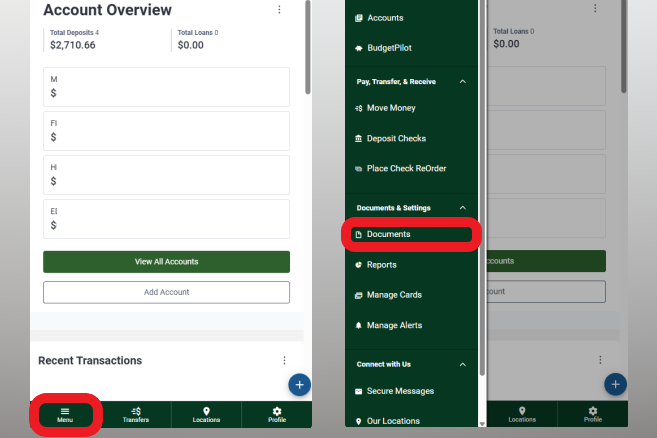
If menu is hidden, select "Menu" on bottom left. Select "Documents".
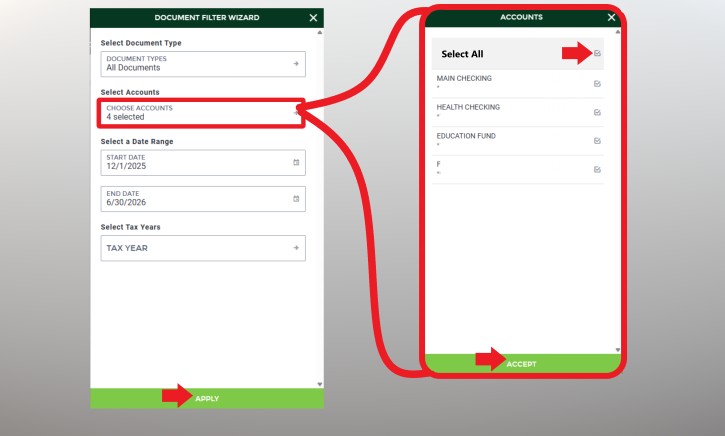
3: Select Accounts
Select which accounts to enroll ("All Accounts" will check all). Click "Accept".
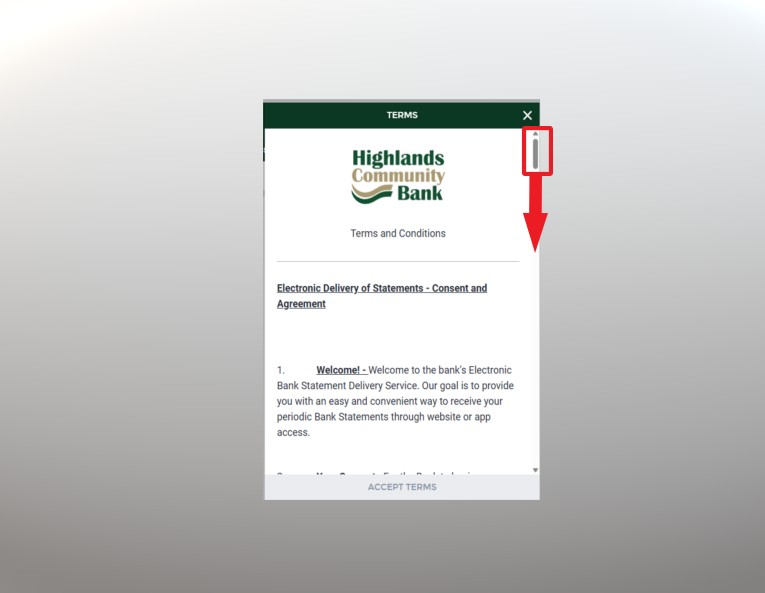
4: Read and Scroll
Please Read and Scroll to the bottom of terms & conditions.
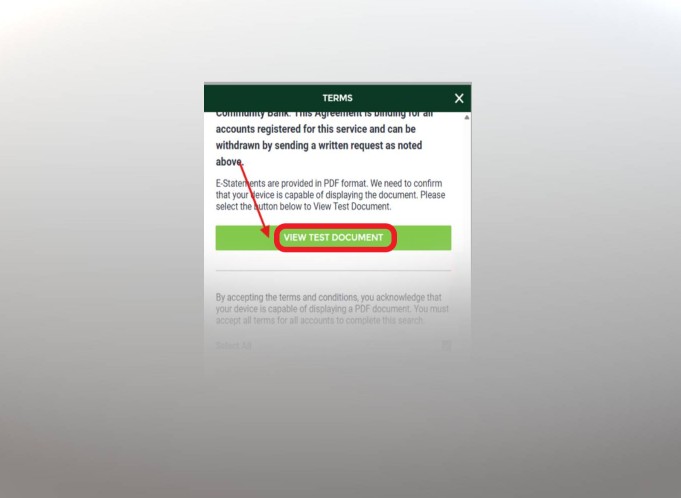
5: View Test Document
You must verify ability to view a test document.
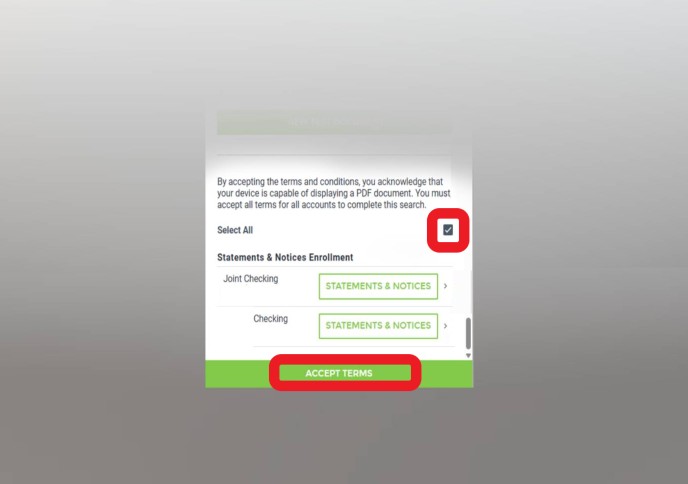
6: Accept Terms
Checkbox the "Select All" to affect all enrollments. Click "Accept Terms" if you agree.
Business Accounts? Minor/Custodian Accounts?
Business & Minor/Custodian Accounts are special cases.
AFTER completing the above steps, please call (540) 962-2265 OPT 4 for additional enrollment assistance.
Some of these accounts *may* require attention by our digital team.
Other account types are UNAFFECTED, and need not call to confirm enrollment.
Need Additional Help?
You can reach our Digital Banking team at 540-962-2265 (option 4), Mon-Fri from 9am to 5pm. Also, feel free to stop by any of our branches WITH your laptop/phone/tablet - We have free Wi-Fi for you to use!